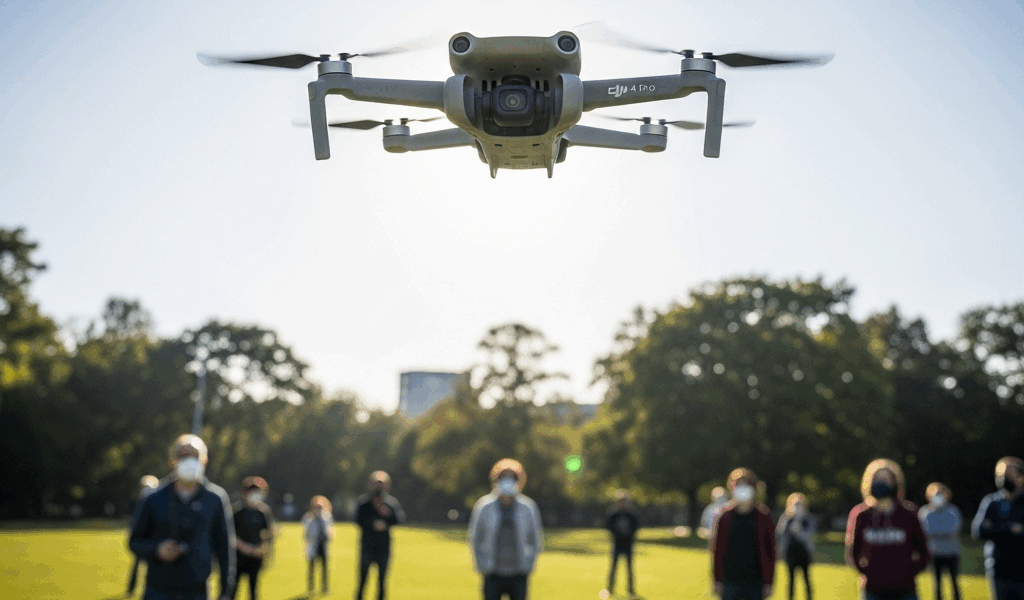
What the FAA Actually Means by Flying Over People
FAA drone regulations have gotten complicated with all the misinformation flying around — especially for Mini 4 Pro owners who just want to fly legally without a law degree. Before I picked up my Mini 4 Pro, I spent three weeks buried in Part 107 documentation. Still got it wrong the first time out. The rule about flying over people sounds deceptively simple until you’re standing in a field second-guessing every decision.
Here’s what actually matters. The FAA breaks drone operations into four categories based on aircraft design and weight. Your Mini 4 Pro weighs exactly 249 grams — and that number is doing a lot of work for you. It automatically qualifies as a Category 1 operation. The lightest tier. The most permissive one. You can fly it over a single person without a waiver, provided that person knows the drone is coming and has explicitly consented.
But “flying over people” does not mean flying near people. It means directly above them. Your Mini 4 Pro passing overhead at 100 feet? That’s flying over someone. Hovering 50 feet to their left at the same altitude? That’s flying beside them — different rules apply entirely.
Category 1 approval covers:
- Operations over a single, consenting person
- Operations over people who are aware of the flight and have agreed to participate
- Operations in uncontrolled airspace below 400 feet
Categories 2, 3, and 4 require either a Part 107 waiver or Remote Pilot in Command certification. I’m not covering those here — they involve commercial operations and heavier aircraft. Stick to your Mini 4 Pro under Category 1 and you stay compliant. That’s the lane you want.
Why Crowds Are a Different Problem Than Individuals
Probably should have opened with this section, honestly.
I assumed the rules centered on weight and altitude. They don’t. They’re about risk and predictability. One person standing in an open field is predictable. A crowd is not — and the FAA treats that distinction seriously.
The FAA prohibits Category 1 drones, including the Mini 4 Pro, from flying over open-air assemblies. Full stop. That restriction doesn’t care about your drone’s weight. But what is an open-air assembly? In essence, it’s any gathering where attendance is expected or encouraged and the crowd occupies a defined area. But it’s much more than that — the FAA looks at whether people are gathered with common purpose and whether strangers are present who haven’t consented to anything.
Think street festival. Think concert in the park. Think organized beach cleanup event with 80 strangers who don’t know you exist.
Here’s the practical breakdown:
A backyard barbecue with ten people you know: Not a crowd. You can fly your Mini 4 Pro overhead if everyone consents. You have direct communication. If something fails, people can react. That’s manageable.
A street fair with 200 people: Open-air assembly. You cannot fly your Mini 4 Pro over it — even if the event organizer personally hands you a permission slip. The FAA considers it a crowd because attendance is expected and the gathering has defined boundaries. The organizer doesn’t have authority to override federal airspace rules.
A parking lot with twenty scattered individuals: Gray territory. People dispersed with no common purpose? You might be fine. Clustered around booths or a stage? You’ve crossed into assembly territory and the rules shift on you fast.
Flying over a moving vehicle with occupants: Not allowed. The Mini 4 Pro qualifies for Category 1, but Category 1 explicitly excludes operations over moving vehicles regardless of weight. A car, truck, or motorcycle with people inside counts as a moving assembly. Don’t make my mistake of assuming the weight exemption covers everything.
That’s what makes the crowd distinction so frustrating to us recreational pilots — the weight of your drone becomes almost irrelevant once a gathering is involved. A single consenting person understands the risk. Strangers wandering through an open-air event do not. If your Mini 4 Pro loses signal or drops a battery cell mid-flight, that matters enormously.
Mini 4 Pro Settings to Use Before Any People-Heavy Flight
Open the DJI Fly app before you launch near anyone. Three settings directly change how your Mini 4 Pro behaves around people — and I’m apparently someone who had to learn two of these the hard way, so the DJI Fly app works for me now while winging it never does.
Obstacle Avoidance and APAS: The Mini 4 Pro runs forward, backward, and downward vision sensors. In the Fly app, navigate to Safety > Obstacle Avoidance. Turn it on — even in open space. APAS, the Advanced Pilot Assistance System, gives you an extra margin. If you’ve misjudged a distance or someone moves unexpectedly, those systems buy you reaction time. They don’t prevent accidents. They reduce severity. That’s still worth something.
Return to Home altitude: This one is critical and I cannot stress it enough. In the Fly app, go to Settings > Safety, then find the RTH altitude setting. Set it higher — significantly higher — than any obstacle sitting between your launch point and your flight area. If you lose signal or a battery cell fails, your Mini 4 Pro climbs to that altitude and returns. Set RTH to 50 feet with a 60-foot building nearby and your drone climbs directly into it. I watched someone else’s drone do exactly that on a shoot in 2022. The drone was a $900 lesson nobody wanted to pay for.
Disable ActiveTrack for unregistered subjects: ActiveTrack locks your Mini 4 Pro onto a moving target. Useful for filming a consenting subject who knows what’s happening. Genuinely dangerous near anyone who doesn’t know they’re being tracked. Before any flight near crowds, disable ActiveTrack inside camera settings. Enable it only after your subject has explicitly consented — verbal confirmation, not assumed.
Beyond the app settings: fly slower near people. The Mini 4 Pro can push 35 mph in Sport mode. Near people, stay below 15 mph. Slower flight gives observers reaction time and gives you room to correct for unexpected movement. So, without further ado — if you ignore every other piece of advice here, don’t ignore the speed thing.
When You Need a Waiver and How to Get One
Filming an organized event — a wedding, a street festival, a youth soccer tournament — requires a waiver to fly over any crowd legally. Don’t skip this and hope nobody notices. The FAA isn’t the only problem. Event liability is real and it lands on you.
The FAA’s waiver process runs through DroneZone, the federal portal for Part 107 requests. You’ll submit a petition covering your flight plan, altitude, duration, and safety measures. A detailed safety plan goes with it — plus a diagram of your flight area. While you won’t need a legal team to prepare it, you will need a handful of specific details about your operation ready before you start.
Standard approval takes 10 to 14 business days. Expedited requests can process in roughly 48 hours for a higher fee. Most recreational pilots flying for personal use never reach this stage. Keep people dispersed, get individual consent, and you’re fine. Commercial operators and event photographers — that’s a different conversation entirely.
If event work is your plan, budget two full weeks of lead time and expect to spend 2 to 4 hours on the application itself. The filing fee runs under $50 through the standard process. First, you should start that application early — at least if you want approval before your shoot date actually arrives.
Quick Pre-Flight Checklist for Flights Near People
- Confirm your drone is a Mini 4 Pro (249g) and qualifies as Category 1
- Check LAANC airspace authorization in DJI Fly — confirm clear airspace below 400 feet
- Verify no open-air assembly or defined crowd gathering is present or planned below your flight path
- Set RTH altitude at least 50 feet above the tallest nearby obstacle
- Enable obstacle avoidance in Safety settings
- Disable ActiveTrack before launch
- Brief every person near your flight path — get verbal consent from anyone directly below
- Have a ground assistant watching for obstacles and unexpected people entering the flight zone
- Keep flight speed below 15 mph within 100 feet of any person
Your Mini 4 Pro is legal to fly near people when you actually follow these steps. Don’t read the rules loosely. Don’t assume a crowd is fine because your drone weighs 249 grams. Weight opens doors — it doesn’t unlock all of them. The rules matter more than the specs on your aircraft, and that gap is where most pilots get themselves into trouble.

Stay in the loop
Get the latest dronefaaregulations updates delivered to your inbox.