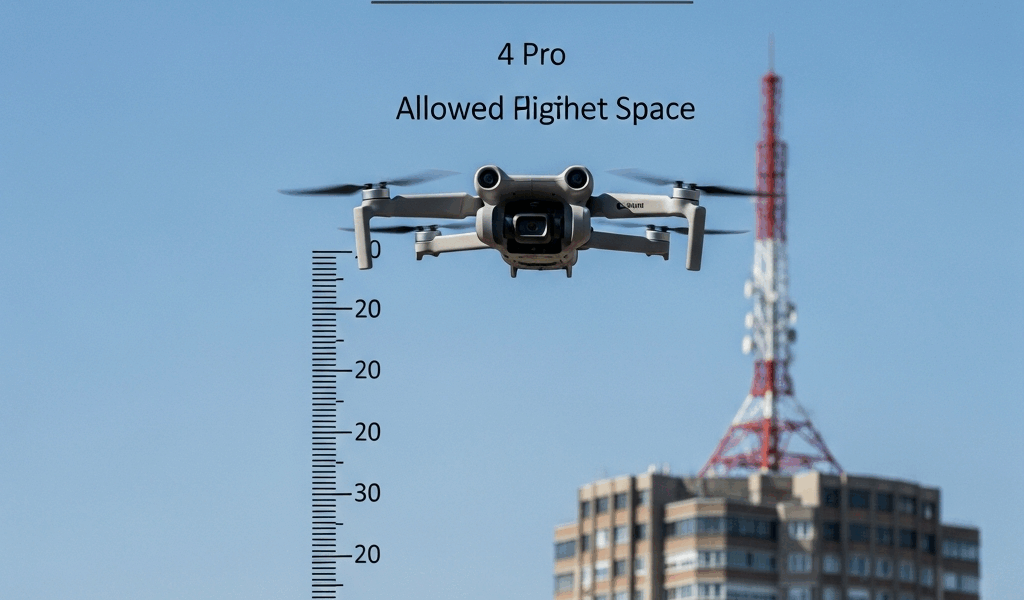
The 400-Foot AGL Hard Ceiling Explained
Flying a DJI Mini 4 Pro under FAA Part 107 means one non-negotiable rule: you cannot legally exceed 400 feet above ground level. That’s it. Not 401. Not 399.5 as a safety margin. 400 AGL, full stop.
I spent three months prepping for my Part 107 exam, and honestly, the AGL versus MSL distinction almost tripped me up during practice tests. Here’s what actually matters — AGL means above ground level at your launch point. Standing at sea level? 400 feet AGL is 400 feet up. MSL (mean sea level) is an absolute altitude referenced to sea level elevation. The FAA regulation specifies AGL, which is why your drone’s altimeter reading is what counts in the field, not some chart conversion.
The DJI Mini 4 Pro has a built-in barometric altimeter that displays height in feet above your takeoff location. When that number hits 400, you stop climbing. The drone’s firmware actually prevents you from exceeding this by default — a hard firmware ceiling for legal operations.
What happens if you breach it? Technically, you’re violating 14 CFR 107.19. For commercial Part 107 license holders, that’s a direct violation with potential fines up to $27,500 and loss of your certificate. If you don’t have a Part 107 license and you’re flying commercially, penalties get steeper. The FAA has become aggressive about enforcement, especially near airports or populated areas.
Here’s a practical detail people miss: that 400-foot limit assumes you’re measuring from your actual ground elevation. Flying from a hilltop? Your 400 feet AGL could put you significantly higher in terms of actual altitude above sea level. Flying from a valley floor adds altitude in the opposite direction. Your altimeter handles this automatically — it zeros at takeoff, so trust what the Mini 4 Pro displays.
When the Mini 4 Pro Can’t Reach 400 Feet
Plenty of airspace scenarios drop that ceiling well below 400 feet. Knowing these restrictions separates licensed pilots from the ones who learn through FAA letters.
Controlled airspace is the primary culprit. Class B, C, and D airspace — the busy airspace around major airports — usually requires explicit clearance to operate at any altitude. Near many Class B airports, the Part 107 ceiling drops to 200 feet within specific lateral distances. Los Angeles, New York, Chicago. No-fly zones without coordination. Class E airspace (which covers a lot more territory than people realize) also restricts operations; you typically need clearance from the controlling facility.
The lateral distances matter too. Most Class B airports have a 5-mile radius “shelf” where your altitude limit is 200 feet or lower. Some use different lateral boundaries. This is where LAANC — Low Altitude Authorization and Notification Capability — enters the picture. The point is that proximity to an airport fundamentally changes what altitude you can legally use.
I once planned a shoot near San Jose and assumed I could operate at 400 feet. Five minutes with LAANC showed me the Class B shelf extended further than I thought, capping me at 200 feet for that specific grid. No shot was worth the violation.
Stadium events and national security sites also impose altitude restrictions. Temporary flight restrictions (TFRs) around sporting events, airshows, and presidential sites can prohibit operations entirely or cap altitude to 100 feet. Check the FAA Temporary Flight Restrictions website before every job — no exceptions.
National security sites — military bases, nuclear plants, sensitive government facilities — usually have blanket prohibitions or extremely restricted altitude corridors. Your Mini 4 Pro’s GPS will sometimes refuse to arm near these sites due to geofencing.
Real Scenarios and How to Handle Them
As someone who’s worked Part 107 shoots for three years, I’ve learned everything there is to know about navigating these restrictions. Let me walk you through four situations that keep coming up.
Scenario 1: Flying over a cell tower
You’re hired to inspect a 200-foot cell tower in a rural county. The tower itself reaches 200 feet. You want to get to 250 feet to clear the antennas and get clean exterior shots.
Decision logic: First, check if you’re in controlled airspace using LAANC or the sectional chart. Most rural areas fall under Class E surface area or Class G (uncontrolled). Assume this is Class G — that’s your baseline. Second, confirm the tower’s actual location and whether it has a published Notice to Airmen (NOTAM). Third, verify no TFRs apply. Once you’ve cleared those, your 250-foot ceiling is legal. You’re still under 400 feet AGL, you’re not in restricted airspace, and you’ve got clearance authority (the tower owner).
Scenario 2: Flying near a hospital
A hospital hires you for aerial photos of their new parking structure. Hospitals don’t have airspace restrictions per se, but they’re often near busy airports or in Class C airspace.
Check the sectional chart first. If you’re near a Class C airport, you likely need clearance. If you’re outside the lateral shelf, you might be able to operate at 400 feet uncontrolled — but many hospitals sit right within those boundaries. I flew one hospital shoot that required Class C clearance; the controlling facility approved 300 feet as a safe altitude gap. Use LAANC to request authorization. If denied, ask for a phone number to speak with someone — sometimes they’ll approve a request the system flags as risky.
Scenario 3: Flying over a bridge
Bridge inspections are bread-and-butter Part 107 work. A 120-foot bridge over a river means you need altitude to capture the deck, underside, and approach spans clearly.
Check the sectional chart for airspace restrictions. Most non-interstate bridges aren’t in controlled airspace, but confirm this. Second, note the bridge’s elevation above sea level and plan your AGL relative to that. If the bridge sits at 500 feet MSL and you fly at 300 feet AGL from the riverbank, you’re at 800 feet MSL — still compliant with Part 107. What matters is the 300 feet AGL reading on your drone. Get written permission from the bridge authority (usually the DOT or county), then proceed.
Scenario 4: Flying near an active construction site
Construction site surveying and progress photography often requires altitude. You’re shooting a high-rise in an urban area. Check LAANC first. If you’re near a Class B or C airport, clearance is mandatory and altitude will be restricted. If you’re in Class E or G, you still have the 400-foot ceiling, but factor in building heights and any cranes on site. A 300-foot building with a crane extending 150 feet above it means your 400-foot AGL limit keeps you above the hazard by only 50 feet — probably not safe. Coordinate with the site supervisor, note the exact height of structures and cranes, and plan your flight pattern conservatively.
Altitude Restrictions You Need to Know for Part 107
LAANC is your primary tool for navigating controlled airspace. This system lets you request real-time authorization to operate drones in Class B, C, and D airspace without calling ATC directly. You submit a flight plan with your max altitude, location, and duration. The system either approves it automatically or sends a request to the controlling facility. Approval means you have clearance to operate at that altitude within those boundaries.
Waivers are the next level. Want to exceed 400 feet AGL, fly at night, or operate over people? You need an official waiver from the FAA. This is a formal application process that takes weeks or months. For altitude specifically, you’d request a waiver under 14 CFR 107.19. The FAA evaluates your operational plan, safety measures, and justification. Altitude waivers are uncommon but possible for legitimate commercial work — infrastructure inspection of tall structures, for example.
Temporary Flight Restrictions (TFRs) are active airspace restrictions that appear for specific events, hazardous conditions, or national security reasons. They’re published in the Notices to Airmen (NOTAM) database. Before every flight, check the FAA’s TFR search tool. A TFR might prohibit all drone operations within 5 miles of an event, or it might cap altitude at 100 feet. Either way, you can’t ignore it.
Remote pilot certificates (Part 107 licenses) do not supersede altitude restrictions. Your license lets you operate under Part 107 rules, but you still must comply with airspace restrictions that would apply to any aircraft. An altitude restriction in controlled airspace applies whether you’re flying a Mini 4 Pro or an Airbus.
Quick Checklist Before Every Flight
Probably should have opened with this section, honestly. Create this decision tree as a physical checklist on your phone or clipboard before every job.
- Check airspace using LAANC or sectional chart. Is your location in Class B, C, or D airspace? If yes, request LAANC authorization and wait for approval. If no, move forward.
- Check for active TFRs. Visit faa.gov/tfrx and search your location. If a TFR exists, read the full text. It may prohibit operations or set an altitude cap. Adjust your plan accordingly.
- Confirm your max operating altitude. Is it 400 feet AGL, or does airspace/TFR restrict it lower? Set this as your ceiling in the DJI app (the Mini 4 Pro allows manual altitude limit adjustment).
- Verify ground elevation and obstacle heights. If you’re flying near structures, measure their height. Your AGL limit is absolute; plan conservatively around obstacles.
- Get written permission from the property owner. Even if airspace is clear, you need consent to operate over someone’s land.
- Arm the drone only when you’ve cleared all five steps. If any step reveals a conflict, don’t fly that location or request appropriate authorization first.
The DJI Mini 4 Pro makes compliance easy because the firmware enforces the altitude ceiling. But the firmware doesn’t manage airspace restrictions — that’s on you. Know your location before you launch, and you’ll avoid costly violations.

Stay in the loop
Get the latest dronefaaregulations updates delivered to your inbox.