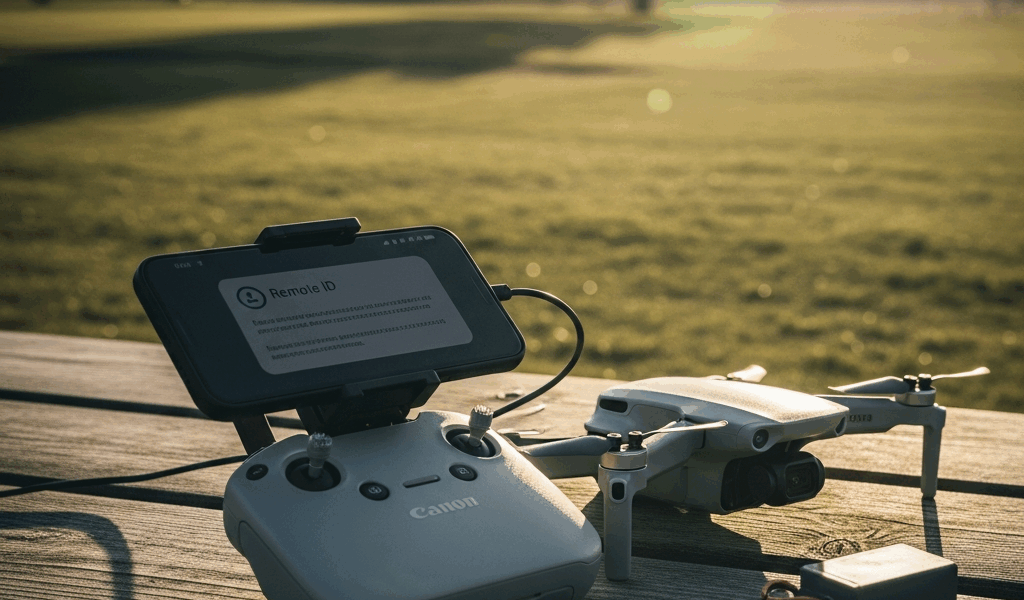
DJI Mini 4 Pro Remote ID — Battery Rules and Compliance Explained
The DJI Mini 4 Pro Remote ID situation tripped me up badly on my first commercial shoot. I had the standard Intelligent Flight Battery installed, no broadcast module, and a client waiting on aerial footage for a real estate listing. Turned out I was technically non-compliant and had no idea. The problem isn’t that the rules are hard — it’s that the DJI Mini 4 Pro’s Remote ID behavior actually changes depending on which battery you snap in. That’s genuinely unusual in the drone world, and it catches people off guard constantly.
Let me break this down completely so you don’t end up in the same position.
Standard Battery vs Plus Battery — The Remote ID Switch
Here’s the core thing to understand. The DJI Mini 4 Pro ships with two battery options: the standard Intelligent Flight Battery and the Intelligent Flight Battery Plus. They are not interchangeable from a regulatory standpoint, even though they’re both made for the same aircraft.
The standard battery weighs 80.5 grams. With it installed, the Mini 4 Pro comes in at approximately 249 grams — just under the critical 250-gram threshold established by the FAA. The Plus battery weighs 98 grams. That extra 17.5 grams pushes the total aircraft weight to roughly 267 grams, clearing 250 grams and landing the drone in an entirely different regulatory category.
Why does 250 grams matter so much? The FAA’s rules for recreational flyers — and for Remote ID specifically — draw a hard line at that weight. Drones under 250 grams flown recreationally are exempt from FAA registration and, by extension, from Remote ID broadcast requirements under the recreational exception. Drones at or above 250 grams don’t get that exemption.
DJI actually built Remote ID hardware directly into the Mini 4 Pro. When you fly with the Plus battery installed and the aircraft tips over 250 grams, the drone broadcasts Remote ID automatically. Serial number, location, altitude, velocity — all of it goes out over Bluetooth and Wi-Fi simultaneously in compliance with the FAA’s Broadcast Remote ID standard. When you fly with the standard battery under 250 grams recreationally, that broadcast stays silent. The drone has the hardware. It just doesn’t activate the same way depending on your configuration and flight category.
Probably should have opened with this section, honestly, before getting into the regulatory weeds. This battery-weight relationship is the single most important thing to internalize before anything else.
Recreational vs Commercial — Different Rules Apply
The weight threshold governs recreational flying. Commercial flying operates under a completely separate framework, and the rules there don’t care about your battery weight at all.
If you’re flying recreationally — meaning you’re operating under the FAA’s Exception for Recreational Flyers, following community-based safety guidelines like those from AUVSI or AMA — then the 250-gram cutoff is your guide. Standard battery, under 250 grams, flying in an approved location for fun? No registration required. No Remote ID required. You’re in the clear. That’s a genuinely useful exemption, and it’s part of why the Mini 4 Pro became so popular with hobbyists.
Commercial operation is different. Full stop. The moment you accept payment for footage, use drone imagery in a business context, or operate as part of any commercial enterprise, you’re under Part 107. That’s the FAA’s Small UAS Rule, and it has its own Remote ID requirements that apply regardless of aircraft weight.
Under Part 107, every drone you fly must either have built-in Standard Remote ID capability, be equipped with a Remote ID broadcast module, or be operated exclusively within an FAA-Recognized Identification Area (FRIA). There is no weight exemption. A 150-gram drone flown commercially still needs Remote ID compliance. Weight is irrelevant to Part 107 Remote ID obligations.
This is where a lot of newer pilots get confused. They buy the Mini 4 Pro partly because of the sub-250-gram marketing, assume they’re exempt from Remote ID, and then start doing paid work without realizing the recreational exemption no longer applies to them. I made a version of this mistake myself — not on weight, but on misreading which category my work fell into. Photography for a friend’s business for free still counts as commercial in most interpretations. That one surprised me.
What If You Fly Commercial with Standard Battery
So you’re a Part 107 pilot. You want to fly the Mini 4 Pro with the standard battery — maybe for extended range, maybe because you only own the standard battery, maybe because the Plus battery costs around $79 and you haven’t bought one yet. You’re under 250 grams. You still need Remote ID. What are your options?
You have two practical paths.
First, switch to the Plus battery. At 267 grams total, the drone’s built-in Remote ID activates automatically. No additional hardware, no bracket, no extra pairing process. You comply by default. The tradeoff is weight and a modest increase in flight time — the Plus battery actually extends range slightly, though wind resistance on the heavier aircraft can offset that in gusty conditions. For most commercial operators, this is the simplest solution.
Second, attach a Remote ID broadcast module. The FAA allows external broadcast modules that meet the ASTM F3586-22 standard for Remote ID. DJI sells its own — the DJI Remote ID module — for approximately $39. It attaches to the drone’s body and broadcasts the required Remote ID information independently of the aircraft’s built-in system. You’ll need a mounting solution since the Mini 4 Pro doesn’t have a dedicated module port, but third-party brackets designed specifically for this setup are available from manufacturers like Badger Technologies for around $15 to $20.
Frustrated by the lack of a clean mounting option on early versions, many operators ended up using adhesive mounts or 3D-printed brackets before purpose-built solutions arrived on the market. If you go this route, make sure your total weight including the module and mount doesn’t cause balance issues — the Mini 4 Pro’s gimbal can be sensitive to forward weight shifts.
There’s a third option — FRIAs — but these are designated areas approved by the FAA where Remote ID isn’t required. They’re typically associated with flying clubs. Not practical for commercial operators who need to fly at client locations.
Firmware Updates That Changed the Rules
This section matters more than most people realize. DJI firmware version v01.00.03.00 for the Mini 4 Pro changed how Remote ID behaved on the aircraft in a meaningful way, and if you bought your drone before this update rolled out, your unit may have worked differently than it does now.
Before that firmware version, the Remote ID broadcast behavior on the Mini 4 Pro was inconsistent in certain edge cases — particularly around activation timing and how the aircraft reported its operator location. The v01.00.03.00 update standardized the broadcast to fully align with the FAA’s Broadcast Remote ID rule, which came into full enforcement effect on March 16, 2024. DJI released the update in coordination with the enforcement deadline.
What specifically changed: the firmware corrected the initialization sequence so that Remote ID begins broadcasting before the aircraft takes off rather than after liftoff. This is actually an FAA requirement — the broadcast is supposed to start on the ground. Earlier firmware versions had a timing gap that technically put operators out of compliance even when they didn’t know it.
The update also addressed how the drone handles GPS signal loss during Remote ID broadcast. Under the updated firmware, if GPS lock is unavailable, the aircraft broadcasts its last known position with a flag indicating position uncertainty, rather than dropping the broadcast entirely. That’s the FAA-compliant behavior.
Check your firmware version in the DJI Fly app under Aircraft Battery — Settings — About. If you’re running anything older than v01.00.03.00, update immediately before your next flight. Running outdated firmware on a commercial flight is a compliance problem you don’t want to explain to an FAA inspector.
Practical Compliance Checklist
Let’s make this concrete. Run through these questions before every flight.
Step One — Determine Your Flight Category
- Am I flying purely for fun, with no commercial benefit, direct or indirect, to any business or person paying me?
- Am I following community-based safety guidelines from an FAA-recognized organization?
- Am I flying in an approved area under those guidelines?
If all three answers are yes, you’re recreational. If any answer is no, you’re commercial and need a Part 107 certificate.
Step Two — Identify Your Battery
- Standard Intelligent Flight Battery — aircraft weight approximately 249 grams
- Intelligent Flight Battery Plus — aircraft weight approximately 267 grams
Step Three — Apply the Rules
- Recreational, standard battery, under 250g: No FAA registration required. No Remote ID required. Fly under recreational rules and you’re compliant.
- Recreational, Plus battery, over 250g: FAA registration required (register at faadronezone.faa.gov, $5 fee, valid three years). Remote ID broadcasts automatically via built-in hardware. Mark your drone with your FAA registration number.
- Commercial (Part 107), standard battery: FAA registration required regardless of weight. Remote ID required — use Plus battery to activate built-in Remote ID, or attach a compliant broadcast module like the DJI Remote ID module.
- Commercial (Part 107), Plus battery: FAA registration required. Built-in Remote ID activates automatically. Verify firmware is v01.00.03.00 or newer.
Step Four — Verify Firmware
Open DJI Fly. Connect your controller and aircraft. Navigate to the aircraft settings and confirm firmware is current. Do this at home before your shoot, not in the field with a client watching.
Step Five — Check Your Airspace
Remote ID compliance doesn’t replace airspace authorization. Use the B4UFLY app or LAANC through services like Kittyhawk or AirMap to confirm you’re authorized to fly in your location. Remote ID and airspace authorization are separate requirements that both apply.
The Mini 4 Pro is a genuinely excellent aircraft. The battery-weight dynamic is legitimately unusual and the FAA’s rules don’t do a great job of advertising themselves to new pilots. But once you understand that the standard battery keeps you under 250 grams for recreational exemptions, the Plus battery triggers built-in Remote ID at 267 grams, and Part 107 commercial operation requires Remote ID regardless of which battery you use — the whole picture snaps into focus. Keep your firmware updated, know your flight category before you launch, and this drone is one of the easiest to keep compliant in its class.



Stay in the loop
Get the latest dronefaaregulations updates delivered to your inbox.