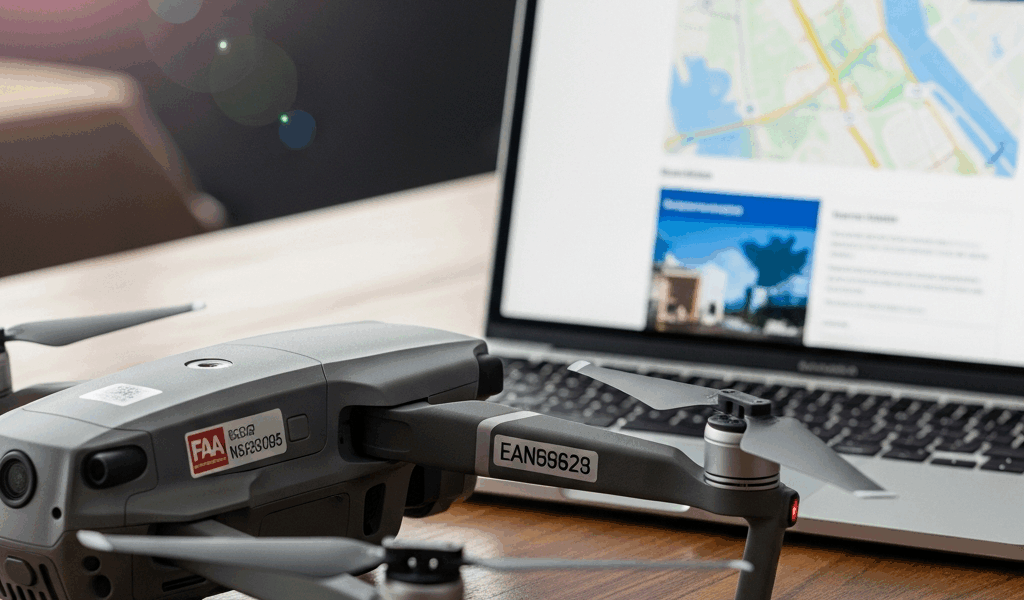
You just bought a drone and the box says something about FAA registration. You’re not sure if your drone needs it, how much it costs, or what happens if you skip it. The FAA’s website doesn’t help — it’s built for aviation professionals, not someone who just wants to fly a DJI Mini in their backyard.
Here’s every drone registration question answered with specific costs, deadlines, and requirements for 2026.
Does Your Drone Need Registration?
If your drone weighs more than 0.55 pounds (250 grams) at takeoff — including the battery, camera, and any accessories mounted during flight — it must be registered with the FAA. This applies to both recreational and commercial operators.
Drones under 250 grams (like the DJI Mini 4 Pro at 249g) are exempt from registration for recreational flyers. However, if you fly a sub-250g drone commercially under Part 107, it still needs to be registered. The weight exemption only applies to recreational use.
If you’re unsure about your drone’s weight, check the manufacturer’s specs for “takeoff weight” — that’s the number the FAA uses, not the weight of the drone body alone.
Registration Cost: $5
FAA drone registration costs $5 per registration. The fee is paid online during the registration process at faadronezone.faa.gov. Payment is by credit or debit card.
Recreational flyers: One $5 registration covers all of your drones. You get a single registration number that goes on every drone you own. Buy three drones, label all three with the same number. Total cost: $5.
Part 107 (commercial) operators: Each drone requires its own individual $5 registration. Three drones means three registrations, three unique registration numbers, $15 total. Each drone gets labeled with its own specific number.
How to Register: Step by Step
Go to faadronezone.faa.gov. Create an account using your email address. Select whether you’re registering as a recreational flyer or a Part 107 operator. Enter your drone’s manufacturer, model, and serial number (for Part 107 individual registration). Pay the $5 fee. Your registration number is issued immediately.
Label your drone with the registration number. The number must be visible on the exterior of the aircraft — a label, sticker, or engraving on the body. Since 2022, the FAA requires the number to be on the outside where it can be read without tools (previously it could be inside the battery compartment).
The entire process takes about 5 minutes. You’ll receive a registration certificate (PDF) that you should save to your phone — you’re required to have it accessible during every flight.
Registration Renewal: $5 Every 3 Years
FAA drone registration is valid for 3 years. Renewal costs $5 and is completed through the same faadronezone.faa.gov portal. The FAA sends email reminders before expiration, but set your own reminder — flying with an expired registration is a violation.
If you sell or destroy a drone, you can cancel its registration through the same portal at no cost. There’s no penalty for cancellation.
What Happens If You Don’t Register
Flying an unregistered drone that requires registration is a federal violation. Civil penalties can reach $27,500. Criminal penalties can include fines up to $250,000 and up to 3 years in prison. In practice, first-time recreational violations typically result in a warning letter, not criminal prosecution — but the legal exposure is real and the registration costs $5. There’s no rational reason to skip it.
For Part 107 commercial operators, flying without registration can result in certificate action — suspension or revocation of your Remote Pilot Certificate, which immediately shuts down your commercial operation.
Register your drone. It takes 5 minutes, costs $5, and avoids complications that range from inconvenient to career-ending depending on how you fly.



Stay in the loop
Get the latest dronefaaregulations updates delivered to your inbox.